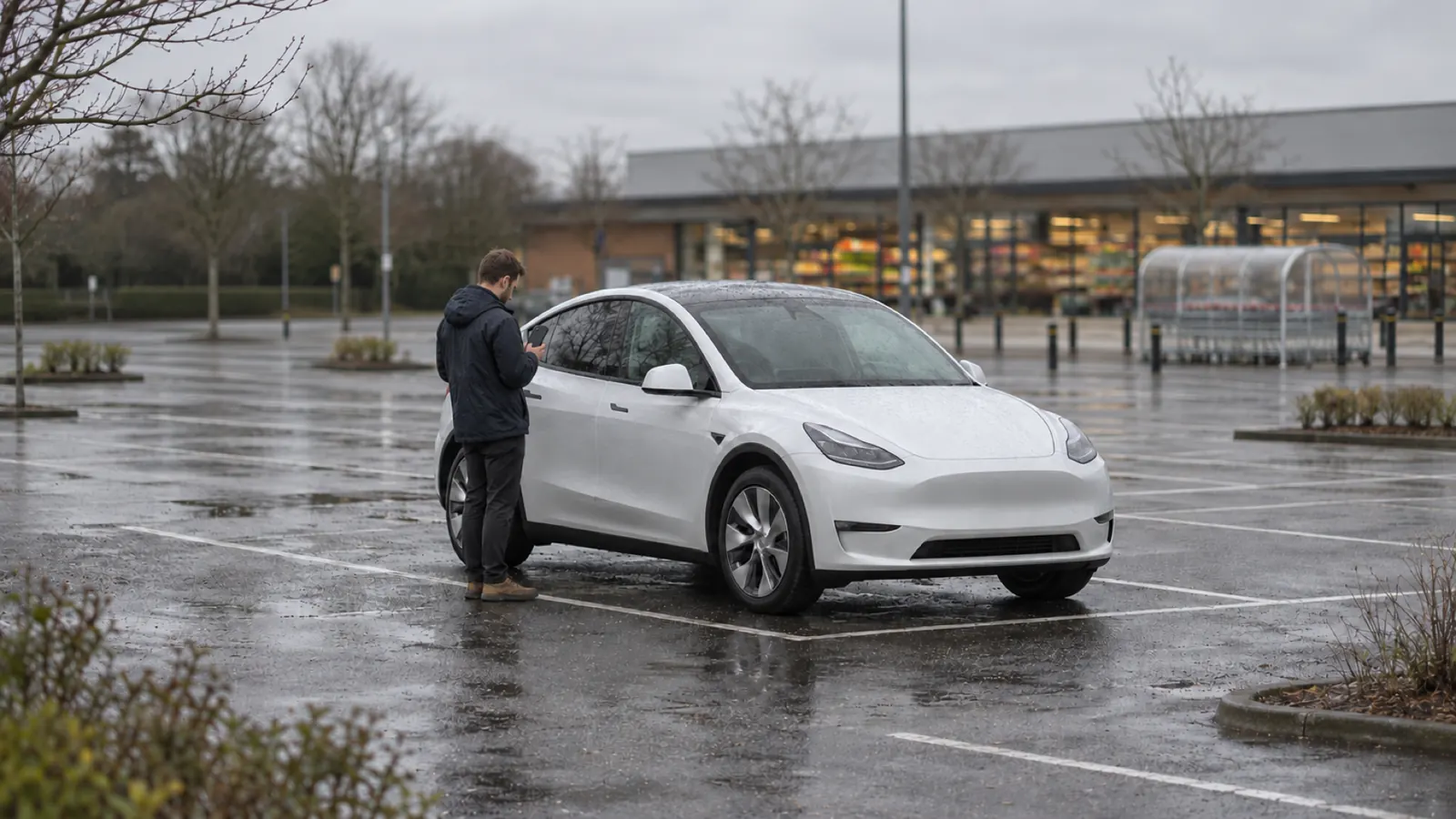
Parked Tesla Hit, Keyed or Broken Into? Find the Clip, Then Act
Sentry Mode may have saved a clip of whoever damaged your parked Tesla even if your phone stayed silent. It may also have missed it: Tesla says not every impact is detected. Look first, copy what you find, then report, claim and repair.
Short answer
- Look even if nothing alerted you. The Tesla app only notifies you when the alarm goes off, someone tries a door or the trunk, or the car senses sudden jerky motion. Sentry Mode records lesser events without telling you.
- Search the whole time you were away, in the car’s Dashcam Viewer, the Tesla app or the TeslaCam > SentryClips folder on the USB drive.
- Copy the clips off the drive today. The car deletes the oldest Sentry clips when space runs low, and Tesla says they can’t be retrieved. Recordings aren’t sent to Tesla, so it can’t send you a copy.
- No clip? Sentry Mode may have been off, excluded at that location, switched off by Low Power Mode or Camp Mode, or unable to record. Or the impact simply wasn’t detected.
- Then report it, claim and repair. A hit by another car, vandalism and broken glass are usually different claim types.
If someone is still at the car or breaking in, call the emergency number and don’t go out to confront them. What to do after a Sentry Mode alert covers those first minutes.
What Sentry Mode does for each kind of damage
Tesla doesn’t publish what counts as a threat. Its current US owner’s manuals say Sentry Mode “uses many factors” to decide whether to sound the alarm, and that “all impacts may not be detected and the alarm may not activate in all situations.” This is what they do describe, matched to the damage you found.
| What happened | What Tesla’s manuals describe | Tesla app notification |
|---|---|---|
| A door or the trunk was opened or tried | Sentry Mode notifies you of an attempt to open a door or trunk. The security alarm also sounds if a locked door or trunk is opened without your key nearby | Yes, with Sentry Mode on |
| The car was towed or shaken | ”A lot of jerky movement like when getting towed or shaken” gets the full reaction: headlights, alarm, touchscreen message, app alert and a saved clip | Yes |
| Hit by another car or a door | Picked up only if the car registers it, and not every impact is | Only if it sounds the alarm or counts as sudden jerky motion |
| Keyed or scratched | Not mentioned. Events Sentry Mode doesn’t consider a clear threat are recorded without the alarm | Not unless the alarm sounds |
| Window smashed, items taken | Glass breaking isn’t listed as a trigger. Opening a locked door can set off the security alarm, and with Tilt/Intrusion on (if equipped) the siren also sounds for motion inside the cabin | Only if the alarm sounds or a door or trunk is tried |
In every row, a clip needs Sentry Mode on, Dashcam on and a USB drive in the car.
Two model differences: on a Model S or Model X with the Enhanced Anti-Theft upgrade, Tilt/Intrusion also sounds the horn if the car is moved or tilted, “for example, with a tow truck or jack”; and Cybertruck’s manual treats Sentry Mode as separate from the alarm, using “cameras and audio to detect suspicious activity nearby.”
For the full trigger rules, see what triggers Sentry Mode; for which events reach your phone, see does Tesla notify you of Sentry Mode events.
Find the clip fast
Start with a time window: when you parked and when you came back, plus the time of any alert. The moment could be anywhere in that window.
- In the car. With the car in Park, touch the Dashcam icon in the app launcher. Tesla lists the clips “by location and timestamp.” Recording pauses while the Viewer is open, so close it when you’re done.
- In the Tesla app. The Dashcam Viewer needs Premium Connectivity, View Live Camera via Mobile App switched on in the car and a recent Tesla app. Tesla doesn’t document it for pre-2021 Model S and Model X.
- On a computer. Pause Dashcam, take the drive out and open TeslaCam > SentryClips, which holds “recordings from all Sentry Mode security events.” Encrypted recordings sit in EncryptedClips; play them in the car that recorded them, or decrypt them at dashcam.tesla.com with the Tesla account that was linked to the car.
Open every camera view in the event, not only the side that was damaged. How to view Sentry Mode clips walks through each route.
Keep it before it’s overwritten
Tesla says Dashcam and Sentry Mode record in cycles and footage “is continuously overwritten unless you save it.” Sentry events are kept in SentryClips, but when the drive runs low on space the oldest are deleted, and “once deleted, you cannot retrieve them.” So copy the event today: pause Dashcam before you remove the drive, copy the whole event folder and the events either side of it to a computer, check that the copies play, and keep a second copy somewhere else. Don’t format the drive or use Delete Dashcam Clips, which erases all Dashcam and Sentry footage. Keep the originals untouched and share copies. Saving Sentry Mode footage after an incident has the full checklist.
No clip? Check these, in order
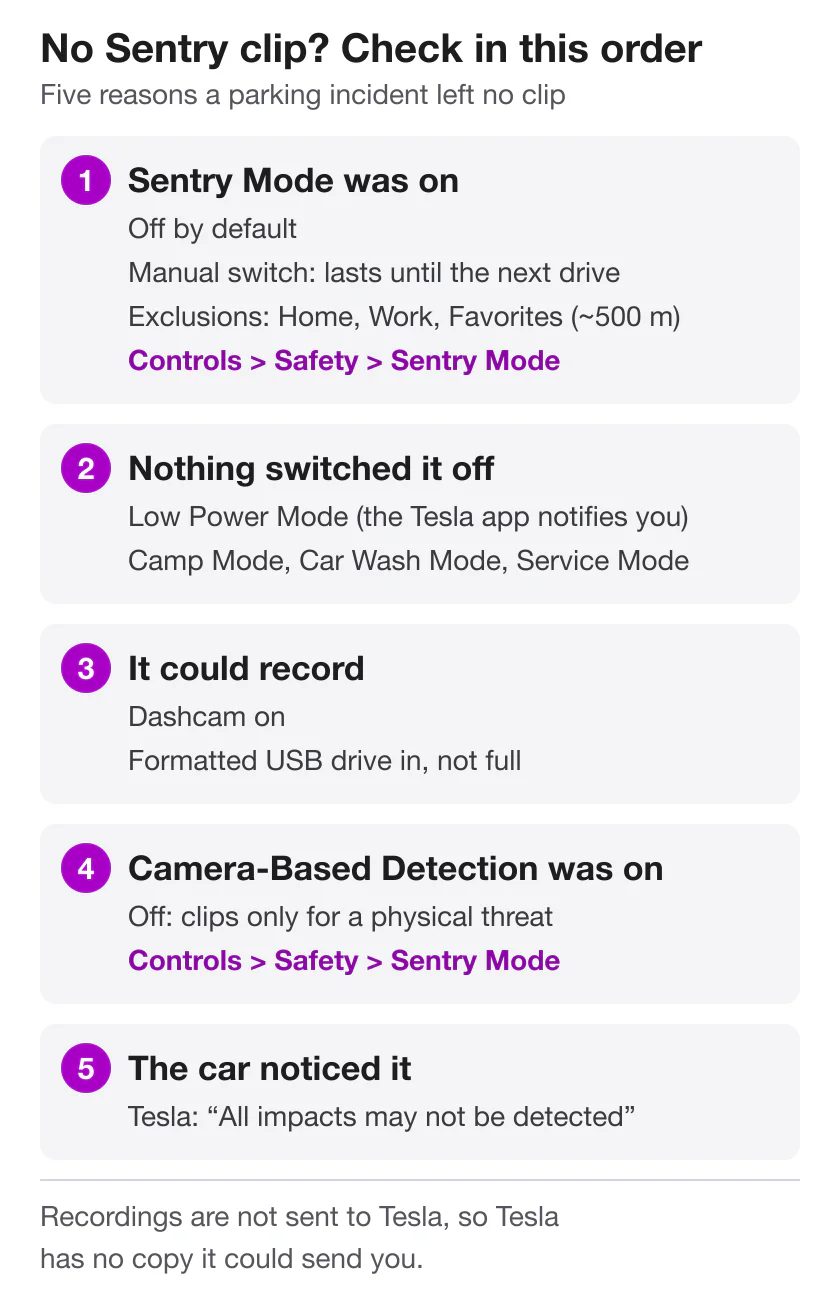
- Was Sentry Mode on? It’s off by default. Switching it on from the Sentry Mode icon or the app only lasts until your next drive. Exclude Home, Exclude Work and Exclude Favorites stop it switching on automatically within about 1,640 feet (500 meters) of those places. Check Controls > Safety > Sentry Mode.
- Did something switch it off? On Model 3, Model Y, Cybertruck and 2021-on Model S and Model X, Sentry Mode isn’t available in Low Power Mode, and the Tesla app sends a notification when Low Power Mode turns it off, so look for one. Camp Mode disables Sentry Mode and the alarm; Car Wash Mode and Service Mode disable Sentry Mode too.
- Could it record? Sentry Mode needs Dashcam on and a properly formatted USB drive. Without a drive, the car still alerts you, but “without any camera recordings.” When the drive is full, “video footage can no longer be saved.”
- Was Camera-Based Detection off? With it off, the car “only saves clips to the USB drive if a physical threat is detected.” It’s under Controls > Safety > Sentry Mode > Camera-Based Detection.
- Did the car notice? If everything above was fine, the event may not have been detected; Tesla warns that not every impact is. A light scrape or a slow bump may leave nothing to find.
Sentry Mode not working goes through each cause and its fix, including USB drive problems.
What the footage can and can’t show
- Outside views only. Each saved clip holds four or six exterior camera views depending on the car; the cabin camera isn’t among them. The Sentry Mode cameras guide lists what your model records.
- No promise of a plate or a face. Whether either is readable depends on distance, angle, light, rain and a clean lens, and Tesla makes no claim about it. Check every view and pause around the moment of contact.
- What you see is evidence, not a verdict. If a plate is readable, give it to the police and your insurer rather than tracking the driver down yourself.
Report it
Report a hit-and-run, vandalism or a break-in to the police once it’s over. Some US police departments, San Francisco’s and San Diego’s among them, take reports of past vehicle break-ins online or through a non-emergency line. Rules and deadlines vary by country, state and city, so check your local police website.
Have this ready:
- where the car was parked and the time window;
- make, model, color and plate number or VIN;
- photos of the damage, and a list of anything stolen with serial numbers where you have them;
- the clip times, and whether you have footage.
Ask how they want to receive the footage, and hand over a copy, never your only original. Keep the report number, because your insurer may ask for it. If cards were taken, cancel them straight away.
Insurance: which claim route
Policies differ, so treat this as orientation, not advice for your policy. Tesla Insurance’s US claims page sets out a common split:
| Damage | Usual route |
|---|---|
| Hit by a car you can identify | The at-fault driver’s insurer, if you can claim with them directly. Tesla Insurance notes that this route doesn’t require a deductible |
| Hit by an unknown car | Your collision coverage, or other hit-and-run cover your policy has. Tesla Insurance says you may have a collision claim after an incident with “another vehicle (moving or stationary)“ |
| Keyed, vandalized or broken into | Comprehensive coverage; Tesla Insurance lists “malicious mischief or vandalism” and “theft or larceny” |
| Glass only | A glass-only claim where your insurer offers one; Tesla Insurance allows one for glass damaged by vandalism |
| Belongings taken from inside | Often home or renters insurance rather than auto, according to US insurer USAA |
A few things apply whoever your insurer is:
- Police report. Tesla Insurance says “a police report may be required for coverage to apply” in certain cases, and recommends reporting any incident to the police regardless.
- Details. Expect to give the date, location and a brief description of the incident, plus photos. Tesla Insurance asks for good lighting so the damage is easy to see.
- Footage. Tell the insurer you have it and send copies if asked. How much weight it carries is the insurer’s call.
Tesla Insurance policyholders can start a claim in the Tesla app: menu > Tesla Insurance > Claims > Start New Claim. Outside the US, cover names and rules differ, and your policy documents are the reference.
Repairs
- Glass. On Tesla’s US support site, glass replacement is booked in the Tesla app: Service > Request Service > Collision & Glass > Glass & Windows. Tesla says calibrations are included in the price when it replaces glass, and that the car’s cameras rely on Tesla glass for image quality.
- Body damage. Tesla Collision Centers take bookings in the Tesla app. Tesla Preferred and Tesla Approved collision centers are third-party shops, and any independent repairer can order parts from Tesla. Which ones are near you varies by area.
- If you’re claiming, open the claim before you book, because your insurer may want photos or an estimate first. Tesla Insurance, for example, offers estimates and repair booking through the Tesla app.
- A smashed window. Until it’s replaced, the car can’t be locked up properly. Take valuables out, park somewhere covered or watched if you can, and cover the opening against rain until the glass is replaced.
Set up for next time
- Sentry Mode on wherever you leave the car on the street, set to switch on automatically, with exclusions only where you trust the location. See how to turn Sentry Mode on or off.
- Camera-Based Detection on where people can walk up to the car.
- A working, formatted drive and Dashcam on, and check now and then that new events appear in SentryClips. Which USB drive Sentry Mode needs covers size, format and port.
- Battery above your Low Power Mode level where you rely on Sentry Mode, and remember that Camp Mode switches Sentry Mode off.
- Tilt/Intrusion on if your car has it.
- View Live Camera via Mobile App switched on, if you have Premium Connectivity, so the app’s Dashcam Viewer works when you need it.
- PIN to Drive, so the car can’t be driven until a 4-digit PIN is entered. Our PIN to Drive guide covers it.
Where Sentry Pro fits
Sentry Pro doesn’t record, store or download footage, and it can’t recover a clip the car never saved. What it adds is timing. It alerts you when the Sentry Mode state your car reports shows activity around the car (“Activity detected around…”) or a triggered alarm (“Alarm triggered for…”), so you hear about activity as well as alarms.
Its Activity list keeps those times, grouped into Sentry sessions with the time Sentry Mode was enabled and disabled. After an incident, that shows whether the car reported Sentry Mode on while you were away, and which times to check in SentryClips.
It can only pass on what the car reports. If the car didn’t register a bump, Sentry Pro won’t have it either, and no alert can reach you while the car has no connection. Alerts and activity entries need a Sentry Pro subscription or trial and Sentry Mode Notifications switched on for that car.
Frequently Asked Questions
Does Tesla notify you if someone hits your parked car?
Only if the hit sets off the alarm or the car registers it as sudden jerky motion. Tesla's owner's manuals say Sentry Mode notifies the Tesla app only when the alarm is triggered, someone tries to open a door or the trunk, or the car detects sudden jerky motion. Events it doesn't consider a clear threat are recorded without a notification, and Tesla adds that all impacts may not be detected. So check the clips for the whole time you were away even if your phone stayed silent.
Why didn't Sentry Mode record when my car was hit?
Check, in order: Sentry Mode was on (it's off by default, a manual switch lasts only until your next drive, and Home, Work and Favorites exclusions stop it switching on near those places); nothing turned it off, such as Low Power Mode, Camp Mode, Car Wash Mode or Service Mode; Dashcam was on with a working, formatted USB drive that wasn't full; and Camera-Based Detection was on, because with it off the car only saves clips of a physical threat. If all of that was fine, the impact may simply not have been detected: Tesla says not every impact is.
Does Sentry Mode detect a broken window?
Tesla doesn't say it does. None of its current US owner's manuals lists glass breaking as something Sentry Mode or the alarm detects. What they describe is a threat or heavy jerky movement, a locked door or trunk being opened without your key, and, with Tilt/Intrusion on (if equipped), motion inside the cabin. Check SentryClips anyway: a door being opened, or someone around the car, may have been recorded.
Can Tesla send me Sentry Mode footage?
No. Tesla's manuals say recordings are saved to the USB drive in your car and are not sent to Tesla, so the drive is the only place to get them. Once the car deletes a Sentry clip to make space, Tesla says it can't be retrieved. With Premium Connectivity, the Tesla app's Dashcam Viewer can play and share clips straight from the car's drive.
Will Sentry Mode footage show the other car's license plate?
Sometimes, but there's no guarantee. Whether a plate or face is readable depends on distance, angle, light, rain and how clean the camera lens is, and Tesla makes no promise about it. Check every camera view in the event and pause around the moment of contact. If you can read a plate, give it to the police and your insurer rather than tracking the driver down yourself.
Do I need a police report to claim for a hit-and-run or break-in?
It depends on your insurer, your policy and where you live. Tesla Insurance, for example, says that in certain cases a police report may be required for coverage to apply, and recommends reporting any incident to the police regardless. Some US police departments, such as San Francisco's and San Diego's, take reports of past break-ins online or through a non-emergency line. Keep the report number for your claim.
Does Sentry Pro record or save the footage?
No. Sentry Pro doesn't record, store, download or recover footage, and it can't tell you whether a clip was saved. It alerts you when the Sentry Mode state your car reports shows activity or a triggered alarm, and keeps the time of each event in its Activity list, which helps you find the right clip on the USB drive. Alerts need a Sentry Pro subscription or trial.