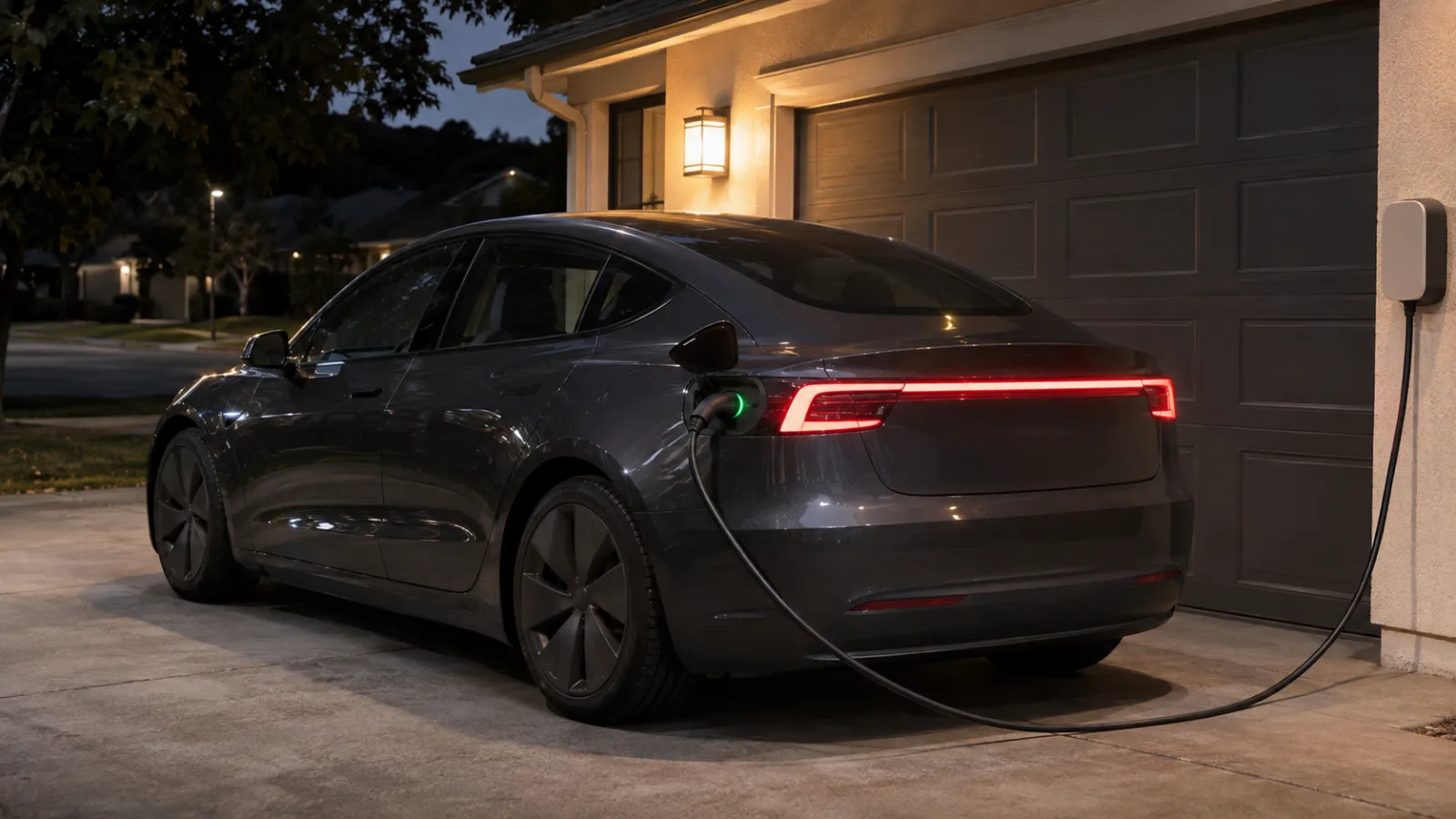
Does Sentry Mode Work While Your Tesla Is Charging?
Yes. Sentry Mode works while your Tesla is charging, at home, at a public charger or at a Supercharger, and charging doesn’t turn it off. Tesla’s owner’s manual ties the automatic shutoff to Low Power Mode, which the car enters once the battery drops below a percentage you set between 10% and 20%, not to whether a cable is connected. A car on a charger also draws its standby power from the charging equipment rather than the battery, so the usual reason to switch Sentry off, battery drain, goes away. What changes by situation is what to check before you walk away.
Short answer by charging situation
| Where you’re charging | Sentry Mode | Check before walking away |
|---|---|---|
| Home overnight (wall connector or outlet) | On if you want it; charger covers the draw | Exclude Home off if the car sleeps in the driveway; charge limit above your Low Power Mode threshold |
| Public AC or destination charger | On, same as any public parking | Sentry armed after you lock; USB drive in; phone has signal where the car is |
| Supercharger stop | On if it was on; you’re usually nearby | Sentry still armed; cable latched; notifications on |
Low Power Mode while plugged in: what the manual says and what owners report
Tesla’s owner’s manual for Model 3 and Model Y describes the shutoff in two places. The Sentry Mode section says “Sentry Mode is not available in Low Power Mode” and that if the car enters Low Power Mode, “Sentry Mode turns off and the mobile app sends you a notification.” The Low Power Mode section says you enable it at Controls > Charging > Low Power Mode, choose “the percentage between 10% and 20% at which Low Power Mode is enabled automatically” (default 20%), and that Sentry Mode is among the features that “will be disabled, and are unavailable to enable” while the car is in Low Power Mode.
What the manual doesn’t say is anything about charging. Neither section mentions a cable, a charger or a Supercharger, so there’s no manual rule that being plugged in changes the threshold or the shutoff. Two other Tesla texts fill the gap, with different reliability:
- Tesla’s US support page still uses the older fixed-20% wording: “Unless at a Supercharger, Sentry Mode will remain active until the vehicle is at or below 20% battery.” It doesn’t say what happens at a Supercharger, and the manual, updated in October 2026, has no Supercharger exception at all. Treat it as older wording.
- Tesla’s own description of Low Power Mode, in the car and the Tesla app, as reported by Not a Tesla App and Drive Tesla Canada, says that while charging, Sentry Mode and accessory power remain on, and that Keep Climate On and Camp Mode remain on only while Supercharging. That’s a report of Tesla’s in-car text, not the manual, so read the description on your own car before relying on it.
The practical point: a plugged-in car isn’t running down toward the threshold, so Low Power Mode is rarely why Sentry stops while charging. Where it does bite is a car that arrives at the charger already below the threshold, or a charge that stops early.
Home charging overnight
A car charging in the driveway or garage is the easy case. Tesla’s manual says that whenever the car is plugged in but not actively charging, “it draws energy from the charging equipment instead of using energy stored in the Battery,” and it lists Sentry Mode as an energy factor only “while parked and not plugged in to a charger.” Even a standard outlet supplies several times what Sentry Mode typically draws; the battery guide has the measured ranges and the Low Power Mode math. Plugged in, the overnight battery cost of Sentry at home is close to zero.
Two settings decide whether Sentry Mode actually runs at home. Exclude Home stops Sentry from enabling itself within about 1,640 feet (500 meters) of your saved Home, which is right for a locked private garage and wrong for a driveway or the street; our Sentry Mode at home guide covers that choice, plus Sentry Pro’s time-based Schedule and the quiet overnight Sentry Actions zone. And your charge limit should sit comfortably above your Low Power Mode threshold, so a charge that didn’t complete, or a day the car sat unplugged, never leaves it hovering near 20%. That’s advice, not a Tesla rule: the manual only tells you where the threshold is.
Public chargers and destination charging
At a hotel, mall or workplace charger the car is parked in public for hours, often at night, which is exactly what Sentry Mode is for, and charging doesn’t change how it behaves. Lock the car, confirm the Sentry icon in Controls is red (or the Tesla app shows Sentry on), and leave the USB drive in: Tesla’s manual says Sentry Mode “requires a properly formatted USB drive” to record, and that without one the car “alerts you through the mobile app, without any camera recordings.”
The one thing a charging bay changes is signal. Destination chargers are often in underground garages where the car has little or no coverage. Sentry Mode still watches, sounds the alarm and records to the drive, but nothing reaches your phone until the car is back online, from Tesla or from Sentry Pro. Our parking without signal guide covers what to check before leaving the car in a dead spot, and the airport parking guide covers the long-stay version.
A Supercharger stop
A Supercharger session is usually short, with you nearby, so Sentry Mode matters less than at an overnight charger, but it isn’t a special case. If Sentry Mode was on when you locked the car, it stays on while the car charges, and Tesla’s manual doesn’t describe Supercharging as something that disables it. The only Supercharger-specific statements are the two quoted above: the older support-page sentence with its unexplained “unless at a Supercharger” clause, and the reported Low Power Mode text that keeps Sentry on while charging and lets Keep Climate On and Camp run while Supercharging. Neither says Sentry turns off at a Supercharger; if you want to be sure, glance at the Sentry icon after locking.
Does Sentry come back on after a low-battery shutoff or a charge?
Don’t assume it does. Tesla’s manual says Sentry Mode is “unavailable to enable” while Low Power Mode is active, and says nothing about Sentry re-enabling once the battery climbs back above the threshold. If the car shut Sentry off at 20% and you plug in, charge past the threshold and leave, the safe assumption is that Sentry Mode is still off until you check it in the Tesla app or on the screen.
There are reports of other behavior. Since 2025.14.x, Sentry Mode reportedly turns back on by itself when the car is plugged in after a low-battery shutoff; Not a Tesla App lists this as an undocumented change and it isn’t in Tesla’s manual, as our not-working guide explains. Not a Tesla App also reports a prompt on the car that lets you enable Sentry Mode with Low Power Mode on, which conflicts with the manual’s “unavailable to enable” wording. None of this is documented, so after any low-battery shutoff, confirm Sentry is on before you rely on it.
Can someone unplug your car?
Not easily, and not because of Sentry Mode. Tesla’s Charging Instructions say that “to prevent unauthorized unplugging of the charge cable, the charge cable latch remains locked,” and that the car “must be unlocked or able to recognize your key before you can disconnect the charge cable.” The ways to release it are all on your side of the locks: the button on the connector handle once the car recognizes your key, Unlock Charge Port or the lightning icon on the touchscreen, the Tesla app, and, if nothing else works, a manual release cable inside the rear trunk, which Tesla says to use only after charging has stopped.
One exception is worth knowing. The Model 3 manual says a car with an early-generation charge port “remains unlocked whenever the vehicle is not charging and in a cold ambient temperature below 41° F (5° C), even when Model 3 is locked,” so on those cars a cable at a finished charge can be pulled in winter.
Sentry Mode plays no part in any of this. It doesn’t watch the cable, and unplugging isn’t one of the events Tesla lists for a Sentry notification. The cameras treat someone at the charge port like anyone else approaching the car: if Sentry Mode judges them a threat it sounds the alarm and alerts you; if not, it may save footage without an alert. A 2022 news report described Sentry footage of a stranger pulling the cable from a Model 3 at a public charger; the adapter stayed locked in the port, and the clip was a recording after the fact, not a cable alarm.
Alerts while charging: what Tesla sends and what Sentry Pro adds
From Tesla, you get the same Sentry notifications as anywhere else: the manual says the app is notified only when the alarm triggers, when someone tries to open a door or trunk, or when the car detects sudden jerky motion. The one charging-related message is the Low Power Mode notification, sent when the car enters Low Power Mode and Sentry turns off. Tesla doesn’t notify you about events Sentry Mode doesn’t treat as a clear threat, which is where Sentry Pro comes in.
Sentry Pro sends an “Activity detected” alert when your car’s Sentry Mode notices something near the car, and an “Alarm triggered” alert when the alarm goes off. These come from the car’s own Sentry state, so they behave the same whether the car is plugged in or not: being on a charger neither adds nor suppresses anything. What Sentry Pro doesn’t do is watch the charger. It doesn’t show whether the car is charging, it has no cable or charging alert, and it can only report what Sentry Mode detects and the car sends, so it needs Sentry Mode on, the car online, Sentry Mode Notifications on for the vehicle and an active subscription or trial. Before you leave a plugged-in car, the home screen is the check: the status line reads Online, the Sentry Mode tile reads Armed, and Pro Settings shows notifications active.
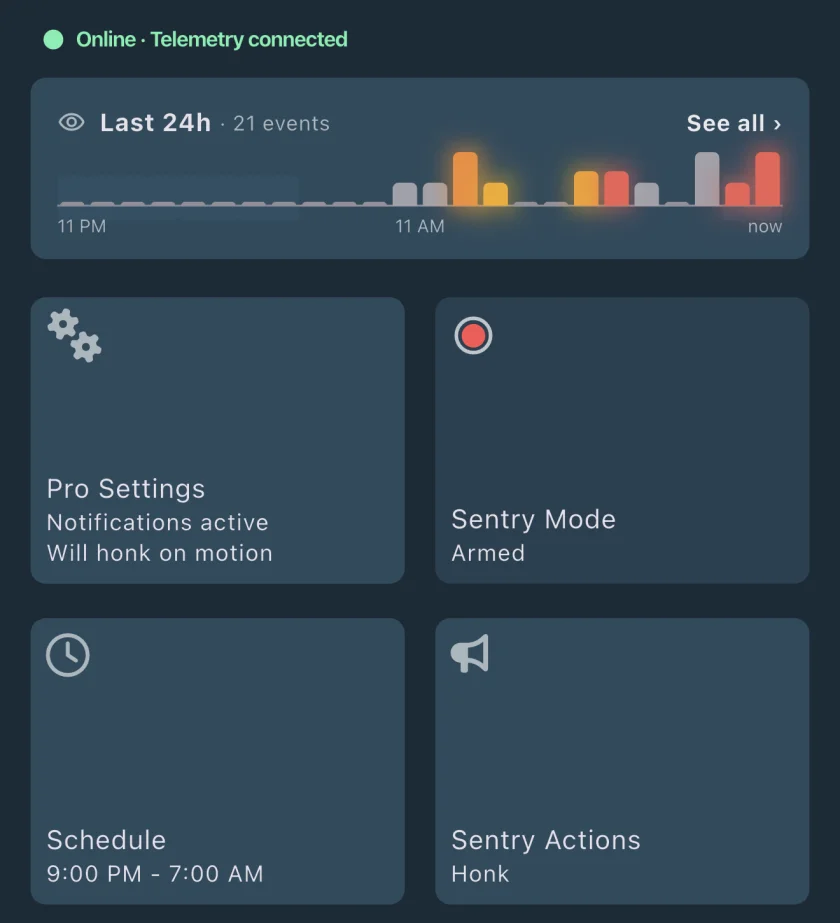
When an alert arrives mid-charge, the response is the same as for any parked car: check the cameras if you can, decide whether to go back or call for help, and save the clip soon, because the oldest Sentry clips are deleted when the drive runs low on space. See what to do after a Sentry alert and saving Sentry footage.
Checklist before you leave the car plugged in
- Sentry Mode on and confirmed. Red Sentry icon on the screen, or Sentry on in the Tesla app, after you’ve locked the car.
- USB drive in and formatted. Without it you get alerts but no footage; see how to view Sentry clips.
- Charge level above the Low Power Mode threshold. If you arrived below it, Sentry can’t be enabled while the car is in Low Power Mode; after charging, check that Low Power Mode is off and turn Sentry on yourself.
- Charge limit set above the threshold so a short charge still leaves a margin.
- Cable latched. The charge port light pulses green while charging; white means the latch is unlocked. On an early-generation charge port (Model 3 manual) in cold weather, expect the latch to unlock when charging ends.
- Phone notifications on. Tesla app notifications for the car, and in Sentry Pro the Pro Settings tile showing notifications active.
- Signal at the car. In an underground charging bay, plan for alerts to arrive late or not at all.
For Sentry Mode itself, including the USB and Dashcam requirements, see the complete Sentry Mode guide.
Frequently Asked Questions
Does Sentry Mode turn off when my Tesla is charging?
No. Nothing in Tesla's owner's manual turns Sentry Mode off because a cable is connected. Sentry Mode turns off when the car enters Low Power Mode, which happens automatically once the battery drops below a percentage you choose between 10% and 20% (20% by default), or whenever you switch Low Power Mode on yourself. Tesla's manual also says that a plugged-in car draws energy from the charging equipment rather than the battery, so charging covers what Sentry Mode uses.
Does Sentry Mode work at a Supercharger?
Yes, if it's on. Tesla's manual doesn't describe a Supercharger as a special case for Sentry Mode: the car is locked and in Park, and Sentry Mode watches, records and alerts as it does anywhere else. Tesla's support page still has an older, unexplained 'unless at a Supercharger' clause in its 20% rule, and Tesla's reported Low Power Mode description says Sentry stays on while charging; neither says Sentry stops at a Supercharger. If you want to be sure, check the Sentry icon after you lock the car.
Can someone unplug my Tesla while it's charging?
Not normally. Tesla's manual says the charge cable latch stays locked to prevent unauthorized unplugging, and the car has to be unlocked or recognize your key before the cable can be released. The manual release cable is inside the rear trunk, behind the car's locks. The exception the Model 3 manual documents is an early-generation charge port in cold weather, which stays unlocked whenever the car isn't charging. Sentry Mode doesn't watch the cable, so someone at the charge port only triggers an alert if Sentry Mode judges them a threat, as with anyone else near the car.
Does charging stop Sentry Mode from draining the battery?
Effectively yes. Tesla's manual says that whenever the car is plugged in but not actively charging, it draws energy from the charging equipment instead of the battery, and it lists Sentry Mode as a consumption factor while parked and not plugged in. Even a standard household outlet delivers several times what Sentry Mode typically uses, so a plugged-in car doesn't lose charge to Sentry Mode.