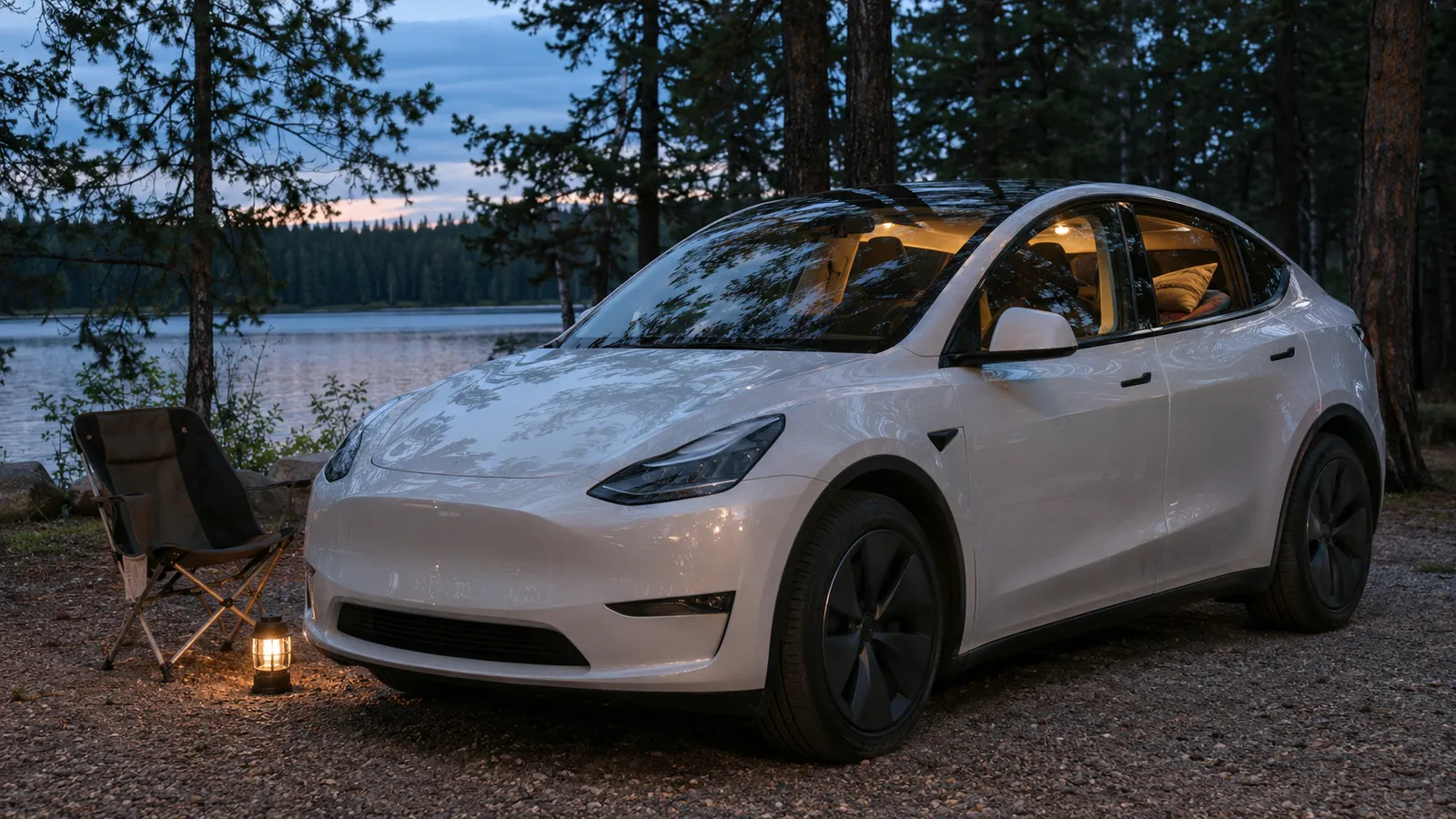
Tesla Camp Mode: How to Use It Overnight and What It Turns Off
Camp Mode keeps your Tesla’s climate running in Park and keeps the touchscreen, USB ports and 12V outlet powered for people staying inside the car. While it’s on, Sentry Mode and the alarm are off and the car won’t lock itself, so close the doors and lock them from the touchscreen before you sleep. There’s no time limit: it runs until you shift out of Park or turn it off, or until the battery drops to your Low Power Mode level (20% by default; older Model S and Model X work differently).
Tesla’s examples are camping, sleeping in the car and staying with a child. Camp Mode works much the same on Model 3, Model Y, Model S, Model X and Cybertruck, and this guide notes where a model differs.
How to turn on Camp Mode
In the car:
- Make sure the car isn’t in Low Power Mode (Controls > Charging > Low Power Mode).
- Shift into Park. Camp Mode is only available in Park.
- Set the temperature you want.
- On the climate controls screen, touch Camp Mode.
In the Tesla app, open the Climate screen and swipe up from the gray bar to turn Camp Mode on or off. Remote control needs both your phone and the car connected to cellular service or Wi-Fi. Tesla’s list of voice commands doesn’t include Camp Mode, so use the screen or the app.
Camp Mode ends when you shift out of Park or turn it off. Turning the climate off from the app ends it too.
What stays on overnight
- Climate. The system works to hold your set temperature, in hot or cold weather.
- The touchscreen. It stays on for music, the web browser, Arcade games and Tesla Theater, and you can control media and climate from a paired phone. Streaming in Theater needs Wi-Fi, or Premium Connectivity plus a cellular signal, so check coverage before you plan a movie night.
- USB ports and the 12V outlet. The car treats Camp Mode as someone being present, so accessory power stays on. That power comes from the main battery, but Tesla says a plugged-in accessory won’t drain the low-voltage battery.
- The wireless phone charger. On 2024 and newer Model 3, 2025 and newer Model Y, and 2021 and newer Model S and Model X, it keeps charging your phone even after you step out.
- Boombox. On cars with an external speaker, you can step outside and set the volume from the Tesla app. Tesla says to check local laws before using Boombox in public places.
What Camp Mode turns off, and how to lock yourself in
- Sentry Mode and the alarm are disabled. Sentry Mode won’t watch the car or alert your phone while you sleep. Our Sentry Mode guide covers what else switches it off.
- Walk-Away Door Lock is inactive. The car won’t lock itself when your phone key moves away.
- Software updates wait. Tesla won’t install one while Camp Mode is active.
- Model S and Model X: the intrusion sensor switches off on cars that have one. You can turn it back on at Controls > Safety > Tilt/Intrusion after starting Camp Mode, but Tesla warns that air moving inside the cabin can then set off an alarm.
To lock yourself in, close the doors and touch the lock icon on the touchscreen. Tesla says this temporarily overrides phone lock settings such as Walk-Away Door Lock. On 2012–2020 Model S and 2015–2020 Model X, the lock icon is in the touchscreen’s status bar.
Don’t rely on the app’s lock button. The car can’t tell whether your phone key is inside or outside, so with your phone in the car the doors still unlock when someone pulls an exterior handle. Opening a door from inside also lets the doors be opened from outside again while the phone key is detected, so lock from the touchscreen each time you get back in.
How much battery a night in Camp Mode uses
Tesla doesn’t publish a figure for Camp Mode. The climate, the USB ports and outlets (even with nothing plugged in) and streaming or gaming all draw on the battery while you’re parked, and Tesla notes that available energy can drop faster in cold weather. Keep an eye on the charge on the Tesla app’s home screen.
One data point: in a 2020 overnight test in a Model Y by YouTube channel i1Tesla, reported by Tesla North, the battery went from 70% to 60% between 10 PM and 7 AM. The report gives no temperatures, so a hot or freezing night may use more. Tesla phantom drain covers what else draws power while the car is parked.
Low Power Mode is the real cut-off. It switches on automatically at a level you choose between 10% and 20% (the default is 20%), and in Low Power Mode Camp Mode is disabled and can’t be turned back on. When that happens, the Tesla app notifies you that the climate has turned off. If those alerts don’t reach your phone, Tesla app notifications walks through the checks. Setting the threshold to 10% buys more hours of climate, but leaves less charge for the drive to a charger in the morning.
Older Model S and Model X work differently. Tesla’s manuals for the 2012–2020 Model S and 2015–2020 Model X don’t mention a Low Power Mode cut-off. Instead, the app sends repeated reminders once the charge drops below 20%. Treat the first one as your cue to decide whether to stay or move.
There’s no fixed 20% start rule. Many guides still say Camp Mode needs at least 20% to start; Tesla’s manuals don’t. Tesla only says to avoid Camp Mode when the charge is low, and the Cybertruck manual adds extremely hot days.
Cybertruck: outlets and CyberTent Mode
Cybertruck’s Camp Mode works like the other models’ and keeps the USB ports and low-voltage outlets powered. The 120V and 240V AC outlets, on trucks that have them, follow their own rules. Turn them on at Controls > Outlets & Mods.
- They stop when the truck is no longer occupied, meaning you’ve got out and closed the doors. To be sure an outlet keeps running all night, turn on Keep Outlets On. It shuts the outlets off after 12 hours or once the battery drops below 5%.
- Low Power Mode disables the cabin and cargo bed outlets, and connecting an AC charging cable disables the AC outlets even if the truck isn’t charging.
- They cost charge. Plugged-in devices draw on the main battery, and enabled outlets use a little power even with nothing plugged in.
CyberTent Mode is a separate setting for the CyberTent accessory (Controls > Outlets & Mods > CyberTent Mode). It levels the suspension, holds the tonneau cover open, adds front and rear light controls and lets the outlets stay on indefinitely. It also disables walk-away lock, so keeping the truck locked or attended is up to you, and the truck can’t be driven while it’s on. If you’re sleeping in the cab rather than the tent, Camp Mode is what holds the cabin temperature.
Camp Mode, Keep Climate On or Pet Mode?
All three keep the climate running in Park. Pick Camp Mode when people are staying inside. Pet Mode is for a pet waiting while you stay nearby; Tesla says it isn’t intended for people. Unlike Camp Mode, it can run alongside Sentry Mode. Keep Climate On is for things left in the car. Our Tesla Pet Mode guide compares all three side by side.
Before you settle in: a checklist
- Charge for the night plus the morning drive to a charger.
- Check your Low Power Mode threshold so you know when the climate will stop.
- Park where overnight stays are allowed, on level ground if you can.
- Close the doors and lock from the touchscreen, and again each time you get back in.
- Keep Tesla app notifications allowed so the climate-off alert reaches you.
- Skip Camp Mode if the climate system needs service or isn’t working as expected, as Tesla advises.
- Never leave a child alone in the car. Staying with a child is one of Tesla’s examples for Camp Mode, but Tesla warns never to leave one unattended.
- In the morning, turn Camp Mode off and make sure Sentry Mode is on before you walk away.
Frequently Asked Questions
Does Camp Mode turn off Sentry Mode?
Yes. Tesla's owner's manuals for Model 3, Model Y, Model S, Model X and Cybertruck all say that while Camp Mode is on, Sentry Mode and the vehicle alarm are disabled and Walk-Away Door Lock is inactive. Lock the doors from the touchscreen before you sleep, and make sure Sentry Mode is on again before you walk away from the car.
How long can a Tesla stay in Camp Mode?
There's no time limit. The climate system tries to hold your settings until you shift out of Park or turn Camp Mode off, and turning the climate off in the app stops it too. In practice the limit is Low Power Mode: it switches on at a level you choose between 10% and 20% (20% by default), Camp Mode's climate stops, and the Tesla app notifies you. On 2012–2020 Model S and 2015–2020 Model X, the app instead sends repeated reminders once the charge drops below 20%.
How much battery does Camp Mode use overnight?
Tesla doesn't publish a figure. The climate, streaming or gaming, and the USB ports and outlets all use energy, and Tesla notes that available energy can drop faster in cold weather. As one data point, a 2020 overnight test in a Model Y by YouTube channel i1Tesla, reported by Tesla North, went from 70% to 60% between 10 PM and 7 AM; the report doesn't give temperatures. Plan with a generous margin.
Can I turn on Camp Mode from the Tesla app?
Yes. On the app's Climate screen, swipe up from the gray bar to turn Camp Mode on or off. The car has to be in Park, and for remote control both your phone and the car need a cellular or Wi-Fi connection.
Do the doors lock in Camp Mode?
Not by themselves: Walk-Away Door Lock is inactive. Close the doors and touch the lock icon on the touchscreen. With a phone key inside, Tesla warns that locking from the app isn't enough, because the doors still unlock when someone pulls an exterior handle. Opening a door from inside lets the doors be opened from outside again, so lock from the touchscreen each time you get back in.
Is there a minimum battery level for Camp Mode?
Not a fixed one. Tesla's owner's manuals have no 20% start rule, even though many guides still repeat it. But Camp Mode can't run in Low Power Mode, which switches on automatically at a level you choose between 10% and 20% (20% by default). Tesla also says to avoid Camp Mode when the charge is low, so start the night with plenty in hand.