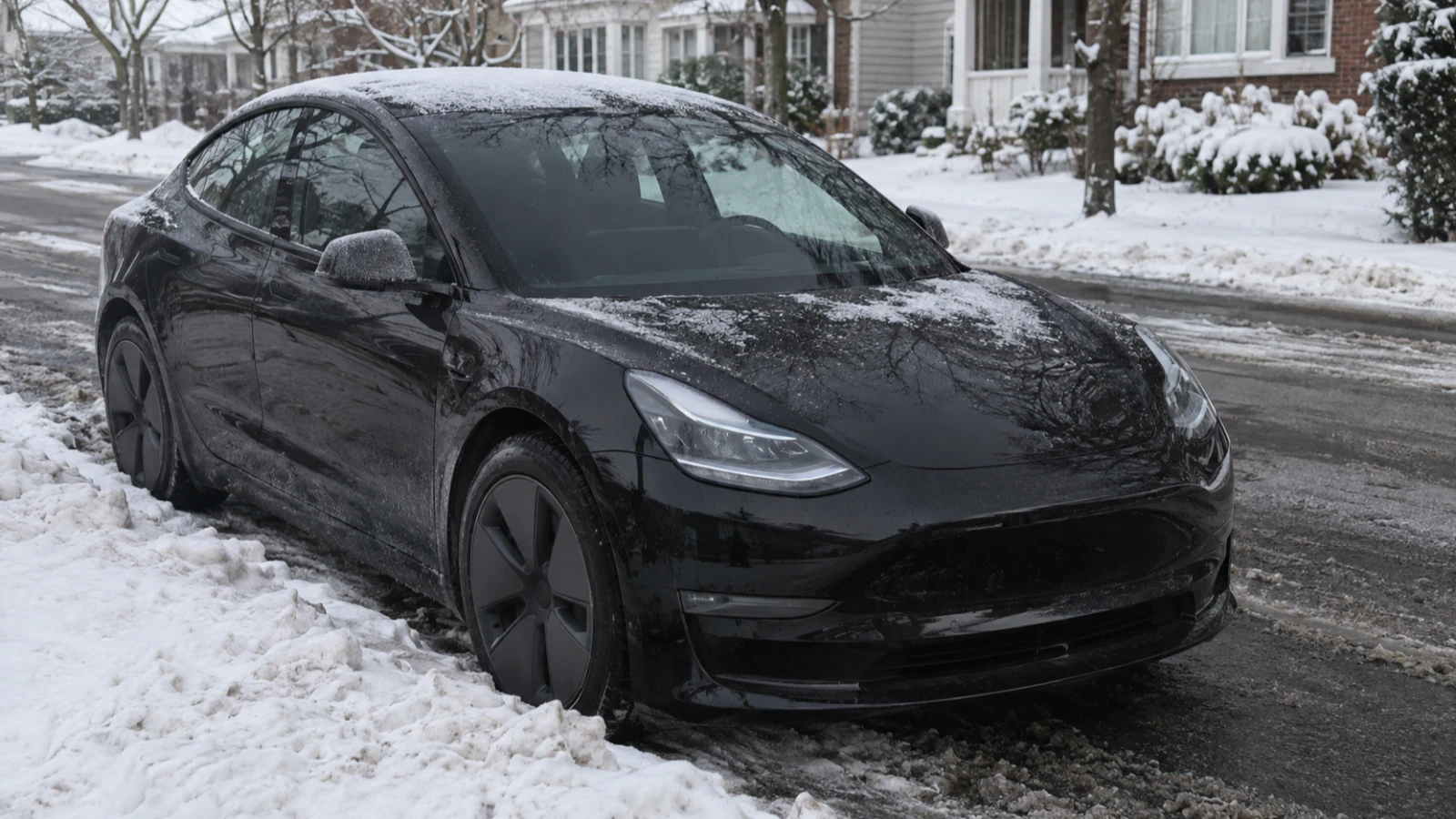
Tesla Cold Weather Guide: Range, Preconditioning and Ice
Cold costs a Tesla range for two reasons. Besides driving, it has to spend energy heating the cabin and the battery, and a cold battery holds back part of its stored energy, which can also limit regenerative braking and charging speed. What Tesla advises is simple: keep the car plugged in whenever it’s parked, warm it up at least 30–45 minutes before you leave (from the wall if it’s plugged in), lean on the seat heaters instead of heating the whole cabin, and before you fast charge, navigate to the Supercharger so the battery gets there warm.
When there’s ice, Defrost Car in the Tesla app melts snow, ice and frost on the windshield, windows and mirrors, and on most cars on the charge port as well. Got a charging cable frozen in place? Touch Controls > Service > Inlet Heater.
Why range drops in the cold
According to Tesla’s manuals, cold weather can increase energy consumption, since driving and heating the cabin and battery need more power. Its support pages list a few more causes: extra aerodynamic drag, higher tire rolling resistance, and a powertrain that gives off little waste heat, which means battery energy heats the cabin.
Short trips are the expensive ones. Each cold start spends energy getting the cabin and battery up to temperature, and in stop-and-go traffic the heater keeps running while the car isn’t getting anywhere.
You won’t find a winter range-loss figure in Tesla’s manuals or support pages, so keep an eye on your own consumption in the Energy app. Tesla also warns that the outside temperature can make range drop faster than the estimate, so give yourself more margin than you would in summer.
What the blue snowflake means
If you see a blue snowflake on the touchscreen (on the instrument panel in a Model S or Model X), the battery is cold and some of its stored energy is unavailable. The battery meter shows that portion in blue, and as long as it’s there, regenerative braking, acceleration and charging rates may be limited. This is normal. It clears once the battery warms up, and charging, driving and preconditioning all warm it.
What you’ll actually feel is the limited regenerative braking: lift off the accelerator and the car slows less until the battery has warmed up on the drive. Tesla says preconditioning in good time avoids it.
If you want the same deceleration every time, Tesla’s US manuals for Model 3, the 2020–2024 Model Y, 2021 and newer Model S and Model X, and Cybertruck describe Controls > Dynamics > Apply Brakes When Regenerative Braking is Limited. It brings in the regular brakes. A 2025 or newer Model Y handles this automatically.
Precondition before you drive
Tesla recommends turning on the climate at least 30–45 minutes before you go. How long it actually takes depends on the outside temperature, and the Tesla app lets you know when the car’s ready. There are three ways to do it:
- Schedule. Touch Controls > Schedule (it’s in the Tesla app too, from version 4.34.5) and set when you want to drive. The car works out when to start so the cabin and battery are warm by then. Each location keeps its own schedules, and a schedule runs once unless you turn on Repeat Weekly.
- Climate in the Tesla app. Turn it on with the cabin temperature you want; it warms the battery as needed too.
- Defrost Car in the Tesla app (Defrost Truck on Cybertruck), when there’s snow, ice or frost on the glass and mirrors. This warms the battery as well.
Plugged in or not? If you can, plug in. Tesla says preconditioning then draws on external power, not the battery. It still works unplugged, except in Low Power Mode, which turns preconditioning off.
Charge until you leave. Even if you don’t have off-peak rates, Tesla recommends scheduling a charge alongside the precondition and using your departure time as the charge’s End by time. If charging wraps up hours early, the battery cools down, and it takes energy to warm it back up.
Heat yourself, not the cabin. The seat and steering wheel heaters need less energy than cabin heating, so set the cabin temperature lower and rely on them. Does your car have a heat pump? Controls > Software > Additional Vehicle Information will tell you. If it does, a lower acceleration mode lets it pull more heat from the battery for the cabin, and Tesla’s range tips name Chill as the most efficient mode in cold weather.
Charging in cold weather
Leave it plugged in. While it’s plugged in, the battery is kept warm by the charging system instead of by the battery itself, and Tesla says it’s safe to leave the car plugged in for any length of time. If plugging in isn’t an option, Tesla’s support page suggests keeping the charge above 50%. Parked cars can lose about 1% a day, and the cold can push that rate up; checking on the car in the app wakes it too, which uses energy. See what to switch off before you leave the car and how much battery Sentry Mode uses.
A household outlet may not be enough. Tesla says that well below freezing, a car may need more power to charge than a standard 120 V outlet can deliver. Leave it plugged in anyway so the battery stays warm. On Cybertruck, Tesla doesn’t recommend low-power charging, especially in the cold.
Warm the battery before fast charging. A battery that’s too cold charges at a lower rate. Make the Supercharger, or a third-party fast charger, your navigation destination, and the car will precondition the battery on the way so it charges faster once you’re there. Tesla recommends navigating for at least 30–45 minutes; on a shorter drive, precondition before you leave. If your car has a heat pump and you see odorless steam coming from the front while it Supercharges in the cold, Tesla says that’s normal.
Ice: charge port, door handles, wipers and mirrors
Snow and ice can freeze door handles, windows, mirrors, wipers and the charge port latch. Using a Schedule helps keep the latch from freezing. If it’s frozen already:
- Cable stuck in the charge port: touch Controls > Service > Inlet Heater to heat the charge port for up to two hours (in Cybertruck’s charging instructions it’s called Charge Port Heater). For a 2025 or newer Model Y, Tesla lists it only for cars in North America, Korea and Japan. If several minutes go by and it hasn’t worked, try releasing the cable manually.
- Cable won’t come out or go in: run Defrost Car from the Tesla app for about 30–45 minutes. Tesla says the climate controls on the touchscreen aren’t as effective. Some cars also heat the charge port with the rear defroster.
- If you need to charge now: the cable may not lock if the latch is frozen, but the car can still charge slowly on AC, limited to 16 A. You can’t Supercharge or use other DC fast charging until the latch engages.
Frozen door handles on Model 3 and Model Y. One option is to add Unlatch Door to the quick controls in the Tesla app, then touch it next to the car to pop the driver’s door open. The other is to free the handle by hand, with no tools and no excessive force:
- Black handles, and every Model Y: to break the ice, push hard on the front of the handle so it rocks inward, then press the rear part to open it.
- Silver handles on a Model 3: bump the handle firmly a few times with the bottom of your fist, roughly as hard as you’d knock on a neighbor’s front door. Remove any jewelry first, and never hit it hard enough to dent the car.
When the handle moves, open and close it a few times, and before you drive, make sure it’s retracted and the door’s fully closed. Putting WD-40 on the handle pivot pins ahead of time helps stop ice forming inside. On a Model X, the front doors have pop actuators (Tesla calls them ice breakers) that help push them open against ice; clear away snow and ice before you open a falcon wing door. On a Model S, turn on Auto-Present Handles (Controls > Locks, or Controls > Vehicle on a 2012–2020 Model S), and the handles will extend as you walk up to the driver’s side with your key.
Wipers. Expecting snow or ice while the car’s parked? Touch Controls > Service > Wiper Service Mode (not on Cybertruck). The wipers lift up against the windshield, so they defrost along with the glass. Where wiper defrosters are fitted, they run for 30 minutes on Model 3 and Model Y and 15 on Model S and Model X. Before you use the wipers, clear the ice off the windshield and check the blades aren’t frozen to it.
Mirrors, cameras and sensors. When ice is likely where you park, turn off Auto-Fold Mirrors so ice can’t stop them folding (Controls > Auto-Fold; Controls > Vehicle > Auto-Fold on the 2012–2020 Model S and 2015–2020 Model X; Controls > Mirrors > Auto-Fold on Cybertruck). Before driving off, brush the snow off the hood, roof and tailgate, and clear the cameras, the sensors and the grille in front of the windshield. A camera or sensor covered by snow or ice can limit safety and driver-assistance features.
Tires, chains and washer fluid
Pressure. For every 10°F (6°C) the outside temperature drops, tires lose about 1 PSI. If the tire pressure light comes on, inflate them before you drive (more on cold-weather tire pressure).
Winter tires. Tesla recommends them in cold temperatures or anywhere there may be snow or ice, since summer and all-season tires don’t give adequate traction in those conditions. Fit a full matching set of four with the mountain/snowflake symbol. Below 40°F (5°C), summer performance tires have reduced traction, and tread under 5/32 in (4 mm) isn’t fit for winter. On a Model 3, Model Y or 2021 and newer Model S or Model X, select winter tires under Controls > Service > Wheel & Tire > Tires: until the car recalibrates, regenerative braking can be reduced, and this setting speeds that up.
Chains. Fit them to the rear tires only, never to summer tires, and never let air out to get them on. Tesla’s manuals name specific König chains for each wheel size, and the list varies by model, generation and region. Some wheels can’t take chains at all, such as 21-inch wheels on a 2012–2020 Model S and, in Tesla’s UK manuals, 21-inch wheels on a 2021 or newer Model S and 22-inch wheels on a 2021 or newer Model X. The warranty doesn’t cover damage from non-recommended chains, and local rules may recommend or require them.
Washer fluid. When it’s below 40°F (4°C), use washer fluid with antifreeze. Tesla’s support page adds that the de-icing agents evaporate over time, so top up with fresh fluid rated for the cold.
Road salt. Rinse the salt off the underside, the wheel wells and the brakes. For more, see our guides on brake care where roads are salted and what can freeze after a winter wash.
Cold-morning checklist
| When | What to do | Why |
|---|---|---|
| Whenever you park | Plug in | The charging system, not the battery, keeps the battery warm |
| The night before | Set a Schedule for your departure, with the charge ending as you leave | The cabin and battery are warm on time, and the battery doesn’t cool after charging |
| When ice is forecast | Turn on Wiper Service Mode and turn off Auto-Fold Mirrors | The wipers defrost with the windshield, and ice can’t stop the mirrors folding |
| 30–45 minutes before you leave | Precondition from Schedule or the app; use Defrost Car if there’s ice | Avoids limited regenerative braking and clears the glass |
| Before you drive | Clear snow from the roof, hood, cameras and sensors | Snow can blow onto other cars and limit safety features |
| On the road | Use seat and steering wheel heaters and a lower cabin temperature | They use less energy than heating the cabin |
| Before Supercharging | Navigate to the charger at least 30–45 minutes out | The battery arrives warm and charges faster |
Frequently Asked Questions
Does preconditioning use the battery if my Tesla is plugged in?
Tesla says no: while the car is plugged in, preconditioning relies on external power rather than the battery, which leaves more energy for the drive. The manuals add that a plugged-in car uses the charging system, not the battery, to keep the battery warm. Unplugged, preconditioning runs on the battery, and Low Power Mode turns it off.
How long before leaving should I precondition?
At least 30–45 minutes, Tesla says, and the time it takes depends on the outside temperature. The Tesla app notifies you once the car reaches the temperature you set. With Controls > Schedule you only set the departure time: the car works out when to start so the cabin and battery are warm by then.
What does the blue snowflake on my Tesla's battery mean?
The battery is cold, so part of its stored energy, shown in blue on the battery meter, isn't available yet. While the snowflake shows, regenerative braking, acceleration and charging rates may be limited. It's normal and disappears once the battery is warm enough; driving, charging and preconditioning all warm it.
Should I leave my Tesla plugged in during cold weather?
Yes. Tesla's manuals say to leave the car plugged in whenever you're not using it, because the charging system then keeps the battery warm, and that it's safe to stay plugged in for any length of time. In temperatures well below freezing a 120 V household outlet may not supply enough power to charge, but Tesla still recommends staying plugged in. When you can't plug in, its support page suggests keeping the charge above 50%.
Why is my Tesla charging slowly in the cold?
Tesla lowers the charge rate when the battery is too cold. Navigate to the Supercharger, or select a third-party fast charger as your destination, at least 30–45 minutes before you arrive so the car can warm the battery on the way. If the charge port latch is frozen, AC charging is limited to 16 A and fast charging is unavailable until the latch engages, so thaw it first with the Inlet Heater or Defrost Car.
Can I put snow chains on a Tesla?
Yes, on the rear tires only, using the chains Tesla's manual lists for your wheel size. The list differs by model, generation and region, and some large wheel sizes can't take chains at all. Don't fit chains to summer tires or let air out of the tires to get them on, and check whether local rules recommend or require them. Tesla says damage from non-recommended or incorrectly fitted chains isn't covered by the warranty.