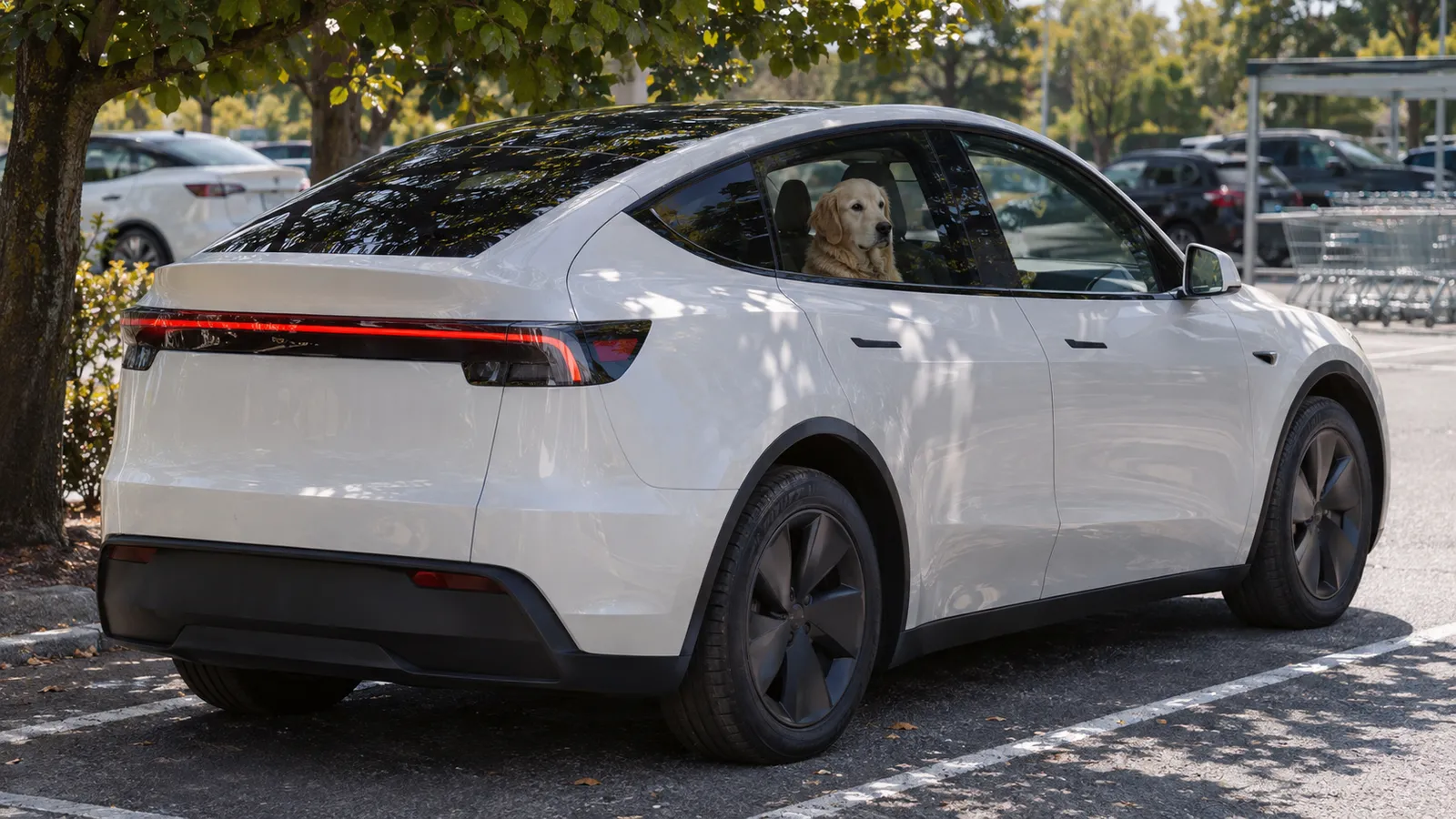
Tesla Dog Mode (Now Pet Mode): How It Works and When to Use It
Dog Mode is now called Pet Mode. It keeps your Tesla’s climate running at the temperature you set while the car is parked, and shows the cabin temperature on the touchscreen for passers-by. The Tesla app notifies you if the climate turns off or the charge drops below 20%. Tesla says to use it only for short stops while you stay close by, and you remain responsible for your pet the whole time.
Tesla launched the feature as Dog Mode in 2019. Its current owner’s manuals for Model 3, Model Y, Model S, Model X and Cybertruck call it Pet Mode: look for Pet on the touchscreen’s climate controls, and Pet Mode on the app’s Climate screen.
How to turn on Pet Mode
In the car:
- Make sure the car isn’t in Low Power Mode (Controls > Charging > Low Power Mode).
- Shift into Park. Pet Mode is only available in Park.
- Set the temperature you want.
- On the climate controls screen, touch Pet.
With the car in Park, you can also say “Turn on Pet Mode”.
In the Tesla app, open the Climate screen and swipe up from the gray bar to turn Pet Mode on or off.
Pet Mode won’t turn on if the cabin is already too hot or the car detects a problem with the climate system. If the car has been standing in the sun, bring the cabin to a comfortable temperature first, then turn Pet Mode on. If the climate system needs service or isn’t working as expected, Tesla says not to use Pet Mode at all.
What people outside the car see
With Pet Mode on, the touchscreen shows the current cabin temperature, which Tesla says is there to let passers-by know your pet is safe. That’s the most visible difference from simply leaving the climate on: a dog alone in a parked car worries people, and the screen answers their question.
You can personalize the screen with your pet’s name and a different image. On Model 3, Model Y, Model S and Model X, go to Controls > Display > Customize Pet Mode. On Cybertruck, touch Customize Pet Mode.
How long Pet Mode can run, and the 20% warning
Tesla doesn’t set a time limit. The climate system “attempts to maintain your climate settings until you shift out of Park or manually turn it off”, and turning the climate off in the app ends Pet Mode too. In practice, the limits are the battery and Tesla’s own instructions: use it only for short periods, stay close enough to get back if the temperature can’t be held, and avoid it when the charge is low. The Cybertruck manual adds extremely hot days to that list.
Tesla’s manuals don’t say how much energy Pet Mode uses. Tesla lists it among the climate features that draw on the battery while the car is parked; Tesla phantom drain covers the others.
When the charge drops below 20%, the app notifies you. Tesla groups that alert with the ones for the climate turning off, so don’t count on the cabin temperature being held after it: treat it as your signal to go back to the car.
How well Pet Mode holds the temperature
In a 2024 test by German motoring club ADAC, a Model Y in Dog Mode set to 68°F (20°C) kept its cabin temperature steady in a 95°F (35°C) climate chamber, with and without simulated sunshine. Under the sun lamps, though, sensors on the rear seat and in a dog crate in the trunk read 77–84°F (25–29°C). ADAC found that direct sun on the animal and the vent settings matter a lot, and that the displayed temperature doesn’t always match the actual temperature in the car. Its advice: check the temperature where your pet will be, and set the climate cooler if needed.
Without the mode, the sunlit cabin reached almost 104°F (40°C) within 30 minutes, and leaving a window open a crack didn’t stop the rise.
Checking on your pet from your phone
Tesla expects you to check on your pet actively and often in the Tesla app, which needs a cellular connection on both your phone and the car. While Pet Mode is on, the app notifies you when:
- the climate turns off for any reason, including a problem with the climate system
- the charge drops below 20%
- the cabin temperature moves significantly away from the temperature you set
If those alerts don’t reach you, Tesla app notifications walks through the checks on the phone and in the car.
You can also look inside. With Pet Mode on, the app’s live camera can show the cabin (Tesla app 4.15.0 or newer). With app 4.51.5 or newer on an iPhone running iOS 18 or later, you also get periodic snapshots of the cabin and live updates on cabin conditions. If Sentry Mode is on too, you can switch between the outside cameras and the cabin. There’s no audio, so you can see your pet but not hear it.
Two limits to know before you rely on it:
- Older hardware. Cars with computer 2.0 or 2.5 don’t support the interior view. Controls > Software shows which computer yours has.
- A daily allowance. Tesla’s US manuals limit the live view to about one hour of cumulative use per day (15 minutes in some regions); the UK manuals say about 15 minutes. Short looks add up, so check in briefly rather than leaving the stream open.
Tesla Sentry Mode live camera covers the outside live view, including where Tesla requires Premium Connectivity, and what to try when it won’t load. Does Tesla record inside the car? explains what the cabin camera does and doesn’t keep.
What changes while Pet Mode is on
- Sentry Mode can stay on. If both are on, Sentry defaults to Disable Sentry Sounds to protect your pet: the alarm stays silent if Sentry is triggered, but Sentry Mode still sends an app notification and saves footage. It’s Camp Mode, not Pet Mode, that turns Sentry Mode and the alarm off.
- Windows can’t be lowered while Pet Mode is on, so a paw on the switch can’t open one.
- Software updates wait. Updates won’t install while Pet Mode, Keep Climate On or Camp Mode is active.
- Summon is off. Tesla disables Summon while the car is in Pet Mode.
- Model S and Model X: the intrusion sensor switches off. On cars that have one, it turns off automatically. You can turn it back on at Controls > Safety > Tilt/Intrusion after starting Pet Mode, but Tesla warns that air moving inside the cabin can then set off the alarm.
Pet Mode, Keep Climate On and Camp Mode compared
All three keep the climate running in Park. They differ in who they’re for and what else they change.
| Keep Climate On | Pet Mode | Camp Mode | |
|---|---|---|---|
| Made for | Things left in the car (Tesla’s example: groceries on a hot day) | A pet waiting while you stay nearby | People staying inside, such as camping or sitting with a child |
| Touchscreen | — | Shows the cabin temperature for passers-by | Stays on for music, games and video |
| Extras | — | Windows can’t be lowered, cabin view in the app, temperature-change alert | Powers the USB ports and low-voltage outlet |
| Sentry Mode | — | Can stay on; Sentry sounds disabled by default | Sentry Mode and the alarm are off; Walk-Away Door Lock is inactive |
| App alert if the climate stops | Yes, including when the car enters Low Power Mode | Yes, including when the charge drops below 20% | Yes, including when the car enters Low Power Mode |
Don’t confuse any of these with Cabin Overheat Protection. Tesla calls it a passenger-comfort feature and warns that the cabin “can become dangerously hot, even when Cabin Overheat Protection is enabled.” It isn’t a way to leave a pet in the car.
Before you walk away: a short checklist
- Check local laws on leaving animals in a vehicle. Tesla’s manual tells you to, and leaves the responsibility with you.
- Keep it short and stay close enough to get back quickly if the temperature can’t be held.
- Check the signal: your phone needs coverage where you’re going, and the car where it’s parked.
- Start with plenty of charge. Tesla says to avoid Pet Mode when the charge is low.
- Park in shade if you can, and set the vents and temperature for where your pet will sit.
- Leave water for your pet.
- Look at the screen before you go: it should show the cabin temperature.
- Keep Tesla app notifications allowed on your phone.
- Never use it for a child or another person. Tesla says the setting is “not intended for people” and warns never to leave a child unattended in the car.
Frequently Asked Questions
Is Tesla Dog Mode the same as Pet Mode?
Yes. Tesla launched the feature as Dog Mode in 2019; its current owner's manuals and support pages call it Pet Mode, in the car and in the Tesla app. It does the same job: it keeps the climate running in Park and shows the cabin temperature on the touchscreen for passers-by.
How long can a Tesla stay in Dog Mode?
Tesla doesn't set a time limit: the climate system tries to hold your settings until you shift out of Park or turn it off, so the battery is the practical limit. Tesla says to use it only for short periods while you stay nearby, and the app alerts you when the charge drops below 20%.
Can I turn on Dog Mode from the Tesla app?
Yes. In the Tesla app, open the Climate screen and swipe up from the gray bar to turn Pet Mode on or off. The car has to be in Park, and both the car and your phone need a cellular or Wi-Fi connection.
Does Sentry Mode work while Dog Mode is on?
Yes. Pet Mode and Sentry Mode can run together; Sentry then defaults to Disable Sentry Sounds to protect your pet, so the alarm stays silent but Sentry Mode still sends app notifications and saves footage. With both on, you can switch the app's live view between the outside cameras and the cabin.
What happens when the battery drops below 20% in Dog Mode?
The Tesla app sends you a notification. Tesla groups that alert with the ones for the climate turning off, so don't count on the cabin temperature being held afterwards: treat it as your signal to go back to the car.