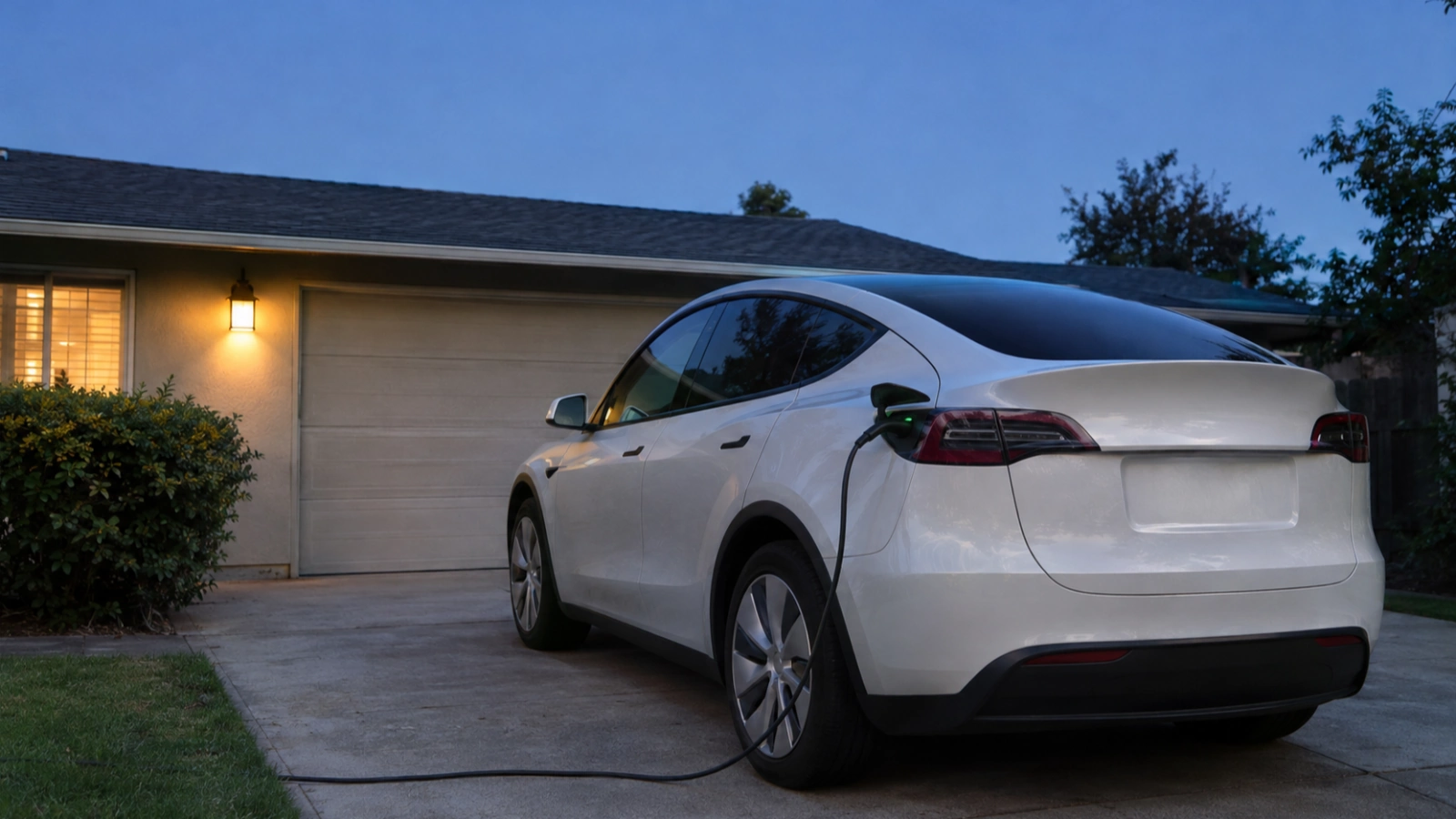
Tesla Home Charging: Outlet, Mobile Connector or Wall Connector?
Charging a Tesla at home doesn’t take a Wall Connector. All you need is a setup that puts back each day’s driving while the car’s parked. In North America, the Mobile Connector on a standard 120 V outlet adds only a few miles of range per hour, which is enough if you charge overnight and drive less than 30 to 40 miles a day. On an installer-approved 240 V outlet that rises to as much as 30 miles an hour, and a Wall Connector takes it to 44. In the UK and Europe, a household socket adds 15–19 km of range an hour at most, so the Wall Connector is the everyday option.
Once that’s sorted, set a charge limit and a schedule, glance at the charge port light before walking away, and keep the car plugged in any time it’s parked.
Which home charging option fits your driving
Take the hours your car spends at home, multiply them by the range per hour your option adds, and compare the result with how far you drive each day. On a 120 V outlet at 3 miles an hour, ten hours adds about 30 miles; a 240 V outlet at 30 miles an hour adds ten times that.
| Where | Option | What you need | Range added per hour | Good fit for |
|---|---|---|---|---|
| North America | Mobile Connector on a 120 V outlet (NEMA 5-15) | A grounded household outlet where you park | About 2–6 miles | Charging every night and driving under 30–40 miles a day |
| North America | Mobile Connector on a 240 V outlet (NEMA 14-50 or 6-50) | An outlet on a 50 A breaker that an installer approves, and the matching adapter | Up to 30 miles | Most daily driving without installing a Wall Connector |
| North America | Wall Connector or Universal Wall Connector | An installer, ideally a Tesla Certified Installer, and a circuit sized for your car (a 60 A breaker for the Wall Connector’s full 48 A) | Up to 44 miles | The fastest home charging and control in the Tesla app; the Universal model also charges J1772 cars |
| UK and Europe | Mobile Connector on a household socket (UK 3-pin or Schuko) | The matching adapter: UK 10 A (2.3 kW) or Schuko 6–13 A (3 kW) | Up to 15 km (UK) or 19 km (Schuko) | Short daily drives, or a backup while traveling |
| UK and Europe | Mobile Connector on a blue 16 A or 32 A socket | An installed blue socket and the 16A or 32A Blue Adapter | Up to 24 km (16 A) or 48 km (32 A) | Faster socket charging, single-phase only |
| UK and Europe | Wall Connector | A Tesla Certified Installer and a 32 A circuit | Up to 44 miles (71 km) | Everyday home charging on a single-phase or three-phase supply |
The car itself can be the bottleneck as well. Before you pay for a bigger installation, tap the lightning bolt icon on the touchscreen to see the most current it accepts.
North America: outlet, Mobile Connector or Wall Connector
120 V outlet. An ordinary three-prong outlet takes the Mobile Connector’s NEMA 5-15 adapter. For Cybertruck, Tesla doesn’t recommend it, especially in the cold, since the truck charges very slowly below 2 kW. When it’s well below freezing, any Tesla may need more power than a 120 V outlet can supply (charging in cold weather).
240 V outlet. With the matching adapter, a 240 V “dryer-type” outlet gives up to 30 miles of range per hour, and there’s nothing to install if your installer approves an outlet you already have. Today’s US Mobile Connector bundle comes with NEMA 5-15 and NEMA 14-50 adapters; the others are sold separately. The adapter tells the Mobile Connector what current to use: 32 A on a NEMA 14-50 or 6-50, 24 A on a 14-30 or 10-30 (up to 22 miles an hour), and less on smaller outlets.
Wall Connector. On a 60 A breaker it delivers up to 48 A (11.5 kW), adding up to 44 miles of range per hour. If power is limited, it can run on a smaller breaker: a 40 A breaker gets you 32 A, or up to 30 miles an hour on a Model 3. Connect it to Wi-Fi and the Tesla app also gives you charging stats, access controls and remote diagnostics.
Model 3 and Model Y Rear-Wheel Drive top out at 32 A, so on a NEMA 14-50 outlet a Mobile Connector is just as quick for them as a Wall Connector. Model Y All-Wheel Drive can be limited to 32 A as well; the lightning bolt icon on your car will tell you.
Another EV at home. The standard Wall Connector comes with a NACS plug, and the Universal Wall Connector adds a J1772 plug for other EVs. If two EVs need to charge at the same time, two Wall Connectors set up for Group Power Management work best.
A J1772 charger you already own works with a J1772 adapter, and that’s the only adapter to use at J1772 stations. With Cybertruck, don’t use third-party charging adapters.
UK and Europe: 3-pin socket, Mobile Connector or Wall Connector
New vehicle orders in the UK and Germany don’t include the Mobile Connector; you buy it in the Tesla Shop.
Household socket. With the UK Mobile Connector, the household adapter charges at 10 A (2.3 kW) for up to 15 km of range per hour, and the Schuko adapter (6–13 A, 3 kW) manages up to 19 km. When it’s on a household socket, the car may default to a current based on local recommendations. You can raise it, either for that location or in the Tesla app, as far as the adapter’s rating, but first ask an electrician whether the socket and wiring can cope with more.
Blue socket. On an installed blue socket, the 16A or 32A Blue Adapter gives 3.7 kW (up to 24 km an hour) or 7.4 kW (up to 48 km). Because the Mobile Connector is single-phase only, the Wall Connector is the only piece of Tesla’s home equipment that can charge from a three-phase supply.
Wall Connector. Its rating goes as high as 22 kW (32 A), yet Model S, Model 3, Model X and Model Y won’t charge faster than 7.4 kW on 230 V single-phase or 11 kW on three-phase. Every kW gives a Model 3 or Model Y about 4 miles of range an hour (3 on Model S and Model X), so a Model 3 or Model Y gets roughly 30 miles an hour on single-phase and up to 44 on three-phase.
Installing a Wall Connector
Go with a Tesla Certified Installer.
- Book before delivery. An installation can take up to several hours, and in the UK it can take up to two weeks to find an installer and a date.
- Get a quote. What you pay depends on your electrical system and the kind of installation. A standard US installation includes materials, the electrical permit, inspection and an installation warranty, while a long wire run, trenching, a pedestal or a main panel upgrade add to the job. In the UK, the Wall Connector’s price doesn’t include installation and testing; plan for a 32 A circuit in the parking space closest to your existing electrical infrastructure.
- Match the breaker to the car’s onboard charger for the fastest charging. When power is limited, Power Management can save you an expensive upgrade. Static sets a fixed maximum (most people still charge enough overnight), Dynamic tracks your panel’s load using a Tesla-approved meter on a single Gen 3 unit, and Group lets several Gen 3 Wall Connectors share power.
- Commissioning. In the Tesla One app, the installer configures the unit, including the breaker rating, Power Management and your Wi-Fi (2.4 GHz, password-protected). Once you’ve tested it together, add it to your Tesla app.
- Location. Indoor and outdoor mounting are both possible. If you live in an apartment or condo, talk to your property manager first; in the US, a growing number of these buildings are legally required to allow EV charging.
Your first night plugged in
- If you’re using the Mobile Connector, attach the adapter and plug it into the outlet first, then plug in the car.
- Open the charge port using the button on the charge cable’s handle, or touch Controls > Charging > Open Charge Port. Model 3, Model Y, Model S and Model X have it on the left side, behind a door in the rear light; Cybertruck has it above the driver’s side rear wheel.
- Push the connector all the way in. Charging starts on its own, but it may be delayed if the battery needs heating or cooling first.
- Give it a few seconds, then make sure the charge port light is blinking green. Amber or red means there’s something to sort out before you go.
On Model 3, Y, S and X, the light is blue when the car’s connected but not charging (say, while it waits for a scheduled charge), blinking green while it charges and solid green when it’s done. Solid amber means the connector isn’t fully in, blinking amber means the current is reduced, and red means a fault has stopped charging. On Cybertruck, either amber light means the connector isn’t fully in.
Charging picks up again by itself after a power outage. To stop it, touch Stop Charging or unplug: with the car unlocked or your key close by, press and hold the connector button and pull. The door closes on its own on Model 3, Model Y and 2021 or newer Model S and Model X; never close it by hand. Day to day, leave the Mobile Connector plugged into the wall to cut down on wear, but never pull it out of the wall while the car is charging.
Settings to change at home
Charge limit. With the car in Park, touch Controls > Charging (or open charging in the Tesla app) and drag the slider. The limit covers both immediate and scheduled charging. Stick to the daily and trip limits the touchscreen and app recommend for your battery (LFP batteries have different ones). If 80% is your car’s daily recommendation, keep it around 80% and save 100% for long drives. Before a road trip, slide past the daily limit to get a one-time charge, after which the limit resets.
Charge current. Unless you’ve lowered it before, the car draws the most current the cable offers. If the circuit is shared with other equipment, lower it, and the car will remember the setting for that location. When input power fluctuates, Model S, Model X and Cybertruck also cut the current by 25% for that location; stay at the lower current until the problem is fixed.
Scheduled charging. Touch Controls > Schedule (it’s also in the Charging window and, from version 4.34.5, in the Tesla app), then Charge, and pick the times and days. A schedule runs once unless you turn on Repeat Weekly. Set only an End by time and the car works out when to start so it reaches your limit; set only Start at and it starts then and charges to the limit. Even without off-peak rates, set End by to your departure time, because it reduces energy use, and if your utility has cheaper overnight rates, line the schedule up with them. Schedules are saved per location. In winter, add a precondition schedule as well.
Track charging costs and battery health
When your car’s charging at home every night, a charging log can tell you what each charge costs and whether the battery’s keeping its capacity. Sentry Driver, the trip and charge logger we build alongside Sentry Pro, handles both:
- Every charge, logged automatically. Once charging detection is on, every session gets recorded, whether it’s at home or anywhere else: battery level at the start and end, energy added, how long it took and where it happened, such as a location you’ve named Home.
- The cost of each charge. Save your home as a charging location along with its rate (per kWh, per minute, per session or time-of-use), and every charge there is given an estimated cost, or you can enter one by hand. On time-of-use rates, that tells you what an off-peak schedule costs. How charging costs are tracked.
- Battery health over time. On the Battery health screen, a chart follows the battery capacity your car reports, in kWh, which lets you watch for degradation. How battery degradation is tracked.
Logging begins as soon as charging detection is on, and earlier charges aren’t imported. Sentry Driver is available on iPhone and Android with a 7-day free trial; it doesn’t support cars with the original MCU1 computer.
Outlet safety rules
- Don’t use extension cords, multi-plugs, conversion plugs or power strips.
- Only plug into a properly grounded outlet that’s in good condition with a snug fit. Never use a damaged, loose or worn one, and keep each adapter to the outlet it’s made for.
- Give the Mobile Connector and adapter a check every time you use them, and never use a cable that’s damaged.
- If the car warns you the wall plug is hot, push the adapter all the way in. If charging still isn’t back to normal, get an electrician to inspect the outlet and wiring; a worn outlet should be replaced.
- Never plug into an outlet that’s covered in snow or under water (if you’re already plugged in, turn the breaker off first, then unplug), and don’t charge during severe rain, snow or an electrical storm.
- Don’t charge from a private generator.
- Don’t use or store the Mobile Connector below floor level or in a recessed area; in North America, keep it at least 18 in (46 cm) off the floor.
Does the car keep reporting a voltage drop at home? Have an electrician inspect the installation, and talk with them about lowering the charge current or upgrading the circuit.
Leave it plugged in
Keep the car plugged in when you’re not using it. Waiting until the battery’s low has no advantage, and the battery performs best when it’s charged regularly. While it’s plugged in, the car normally runs on the charging equipment, but over several days it may draw a little from the battery, so it can sit a bit below your limit before it tops up. See what to switch off before you leave the car and how to avoid a flat low-voltage battery.
Charging pauses for a software update and picks up again once the install is complete (during the install). Leaving Sentry Mode on in the driveway or garage? Read Sentry Mode while charging at home and Sentry Mode plugged in overnight.
Frequently Asked Questions
Do I need a Wall Connector to charge a Tesla at home?
No. In North America the Mobile Connector on a standard household outlet adds a few miles of range per hour, which covers driving of less than 30 to 40 miles a day if you charge overnight, and an existing 240 V outlet that your installer approves gives up to 30 miles per hour. Tesla still recommends the Wall Connector: it's the fastest option and adds charging stats and access controls in the Tesla app. On a Model 3 or Model Y Rear-Wheel Drive, the Mobile Connector on a 240 V NEMA 14-50 outlet charges as fast as a Wall Connector.
Can I charge my Tesla from a normal household outlet?
Yes, with the Mobile Connector and the matching adapter, but slowly. In North America a 120 V outlet adds about 2–6 miles of range per hour; in the UK the 3-pin adapter charges at 10 A (2.3 kW), up to 15 km of range per hour. Use a grounded outlet in good condition, never an extension cord, and keep the car plugged in overnight. Tesla doesn't recommend 120 V charging for Cybertruck, especially in the cold.
Is a Mobile Connector included with a new Tesla?
Don't count on it. In the UK and Germany, the Mobile Connector isn't included with new vehicle orders; it's sold in the Tesla Shop. Elsewhere, the charging hardware that comes with the car varies by region and model year. Check your order or the Tesla Shop for your country before delivery, so you have a way to charge on the first night.
Can I use an extension cord with the Mobile Connector?
No. Never use an extension cord, multi-outlet adapter, multi-plug, conversion plug or power strip with the Mobile Connector. An extension cord that can't support the charge current also slows charging. If the cable doesn't reach, have an electrician install an outlet where you park.
Why is my Tesla charging slower than my charger's rating?
The slowest link sets the speed. The car may accept less than the charger offers: Model 3 and Model Y Rear-Wheel Drive take at most 32 A, and in the UK and Europe Model S, 3, X and Y take at most 7.4 kW single-phase or 11 kW three-phase, even from a Wall Connector rated at 22 kW. A Wall Connector may also be set up for a smaller breaker, the charge current may be lowered for that location, or the car may have reduced it on a household outlet or after a voltage drop. Tap the lightning bolt icon on the touchscreen to see your car's maximum current.
Can other EVs use my Wall Connector?
If the plug matches. The Wall Connector works with most EVs as long as its plug matches the car's charging inlet. In North America the standard Wall Connector has a NACS plug, and the Universal Wall Connector has both NACS and J1772 plugs for households with other EVs. Charging Access Control, which restricts which cars can charge, works only with Tesla vehicles.